Brainsight 2.3.10 is released for all users
We are happy to announce the release of Brainsight 2.3.10.
Before proceeding with this update, please read the following important information.
Minimum requirements:
- Mac OS X 10.9 Mavericks or later is required. For a free update, visit <https://www.apple.com/macos/how-to-upgrade/>. Contact us if you need to upgrade your Mac hardware.
- This version of Brainsight was tested against OS X 10.11.6 (El Capitan), 10.12.6 (Sierra), and 10.13.4 (High Sierra).
- We will not be supporting 10.9 and 10.10 for much longer, and no longer test them; if you still use either, please upgrade.
Special note:
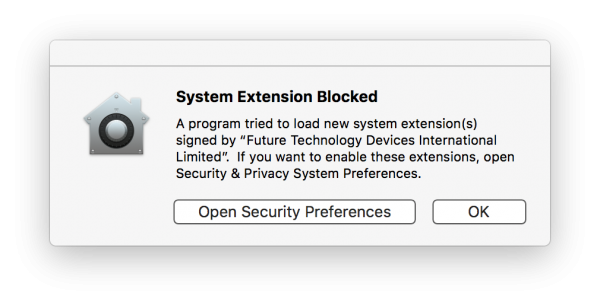
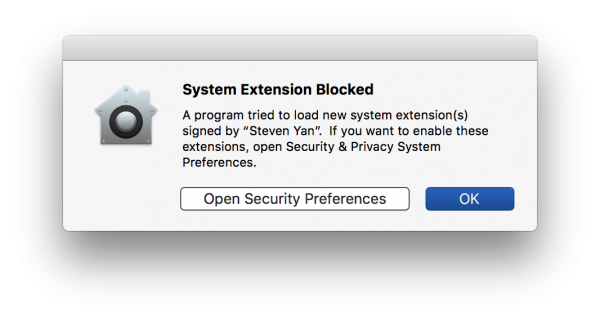
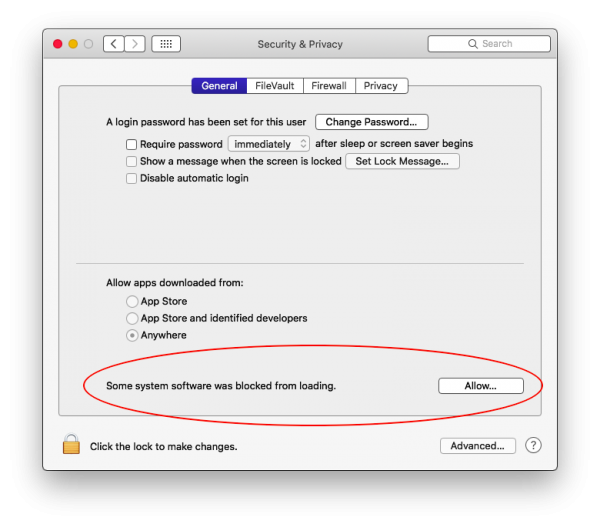
- On macOS 10.13 High Sierra, if your Polaris is not detected, go to Apple Menu > System Preferences > Security&Privacy > General and look for an “Allow” button. See: <https://www.rogue-research.com/2018/04/polaris-on-macos-10-13-high-sierra/>.
Changes since version 2.3.9:
- The Session > Electrodes step is now shown for all TMS users, previously it was only shown if your serial number enabled the feature, but since so many of our TMS users use EEG also, we decided to enable it for everyone.
- The Session > Electrodes step can now be populated from a Cap Layout; similarly, a Cap Layout can now be created from the contents of the Session > Electrodes step.
- Assembly Lists can now be exported to the Brainsight .txt file format.
- Session subject registration matrices can now be exported from the Review window into a Brainsight .txt file.
- Shift-clicking electrodes in 3D views now allows selecting/unselecting multiple ones.
- Completely fixed a bug where scrolling through 2D slices with the mouse wheel would sometimes incorrectly show blank slices.
- Fixed a bug where the AC-PC-Box atlas space window would fail to redraw after pressing the Update button.
- Fixed performance and responsiveness problems when using the Axilum Robotics TMS-Robot.
- Improved performance working with large amounts of NIRS data: the waveform views should no longer fall behind data acquisition, though they may draw more slowly to keep up.
- Improved performance of live EMG waveform views, they now draw more smoothly.
- Fixed miscellaneous bugs.
Download:
- Brainsight 2.3.10 can be downloaded from our website here: <https://www.rogue-research.com/downloads>
- You’ll need your serial number, which you can get from Brainsight itself from the Brainsight menu > ‘Enter/View Serial Number’.
Feedback:
- Please report any and all bugs, feedback, suggestions, etc. to <support@rogue-research.com> or by phone at +1-866-984-3888 (Canada & USA) or +1-514-284-3888.
Thank you,
The Rogue Research Team
Brainsight 2.3.10 is released for all users Read More »